Cross-border workers and teleworking: setting up a home workstation
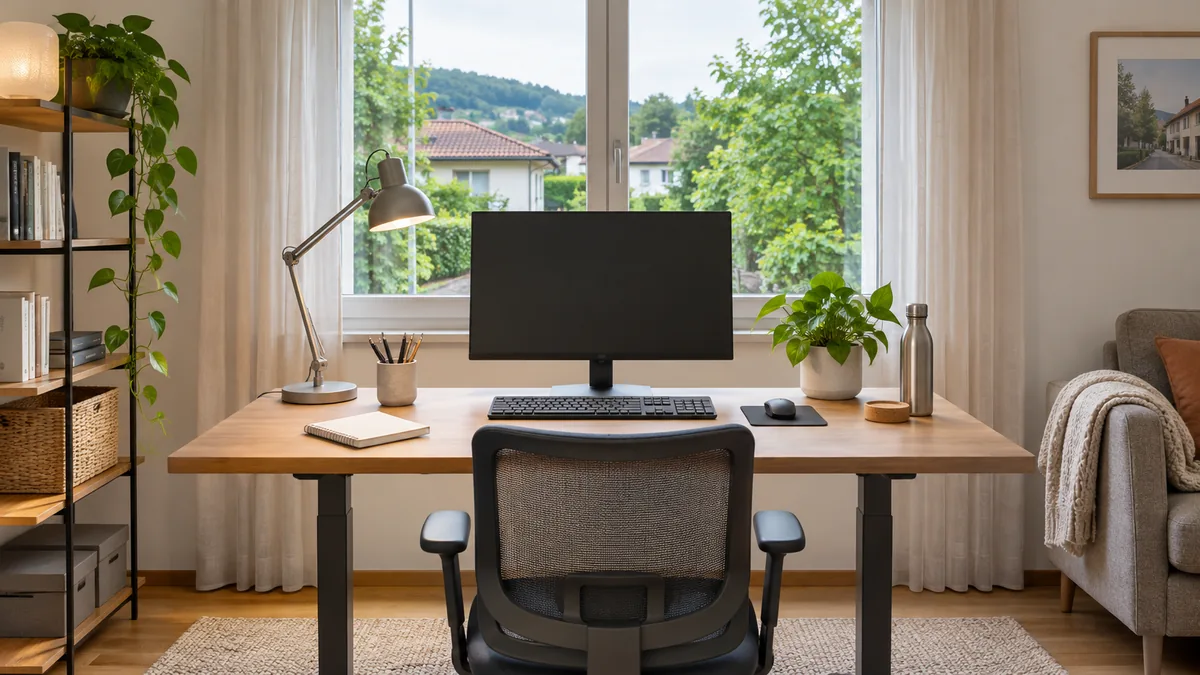
Teleworking accounts for up to 25% of working time. The protocol entered into force on February 9, 2026.
Context
TL;DR
- Telework can account for up to 25% of working time.
- The protocol entered into force on February 9, 2026.
- Application begins on January 1, 2024.
- The desk can also be used by the family.
Key facts
- Maximum share → 25% of working time
- Effective → 9 February 2026
- Application → January 1, 2024
- Place of teleworking → the cross-border commuter's home
- Work tool → computer provided by the company
- Stable → connection for video calls and VPNs
Entered into force on 9 February 2026, the protocol updating the tax agreement between Italy and Switzerland on cross-border workers applies from 1 January 2024. The regulation allows you to work from your home for a maximum of 25% of your working time, without altering the tax regime or the status of cross-border commuter.
The source describes a possibility referring to thousands of cross-border workers in the province of Como. The limit is not equivalent to an entirely remote week: out of a normal five-day working week, 25% corresponds on average to just over one day. However, the count must be verified on the basis of actual working time and contractual situation.
A ready-made and reversible place
To reduce the risk of errors in registration, it is useful to define with the employer how to record the days of teleworking and check the official indications relevant to your situation. The tax limit is distinct from the social security limit, which is subject to different rules. If doubts remain, you can ask for clarification from a patronage, a trade union or a tax advisor.
The regulatory part is directly linked to the practical question: how to prepare a workstation that will only be used for part of the week. Those who work from home only a few days rarely need a dedicated study. The desk can be placed in the living room, bedroom or corner of the house, and then used by the family on other days.
The workstation must offer a stable connection for video calls and corporate VPN, a screen suitable for several hours of work, a comfortable seat and proper lighting; the floor must be able to be set up in the morning and cleared in the evening. It is also preferable to minimize cables and bulky appliances. There is no need to transform the house into a copy of the office in Lugano or Mendrisio: all you need is a flexible desk, ready for the day of teleworking and usable even during the rest of the week.
Operational details
A compact desk, with two configurations
The most useful comparison is not between a home and a complete office, but between a dedicated workstation and a shared workstation. The source favors the latter: the work surface must be able to accommodate the company computer during teleworking and become available again for household use without multiplying screens, keyboards, and cables.
| Requirement | Solution described by the source |
|---|---|
| Low laptop screen | External monitor at eye level |
| Spreadsheets and meetings | Multi-monitor setup |
| Limited desk space | Monitor arm or stand |
| Quick connection | Docking station or monitor with USB-C, if compatible |
| Cables and power-off | Cable ducts, cable ties, and power strip with a switch |
The display should also be assessed in terms of comfort: after many hours, the laptop screen can be uncomfortable if it remains too low and forces the neck to tilt. Positioning an external monitor at eye level makes prolonged work easier. For those who alternate between spreadsheets, management software, and video calls, two monitors allow the documents to be displayed on one screen and the meeting on the second.
A mini PC can support two or more monitors at the same workstation, but it is first necessary to check which video outputs the model offers. If the work surface is small, a monitor arm or stand makes it possible to reclaim space. To connect the company laptop with a single cable, you can use a docking station or a monitor with a USB-C port, provided that the computer and monitor are compatible with this function.
To separate professional use from household use, the mini PC intended for the home can be placed behind the monitor, if compatible with a VESA mount, or under the desk. This way, the monitor, keyboard, and mouse remain usable with the company laptop as well. On teleworking days, it is sufficient to connect the work computer; on other days, the workstation can be used to browse the Internet, manage household matters, follow the children’s school activities, or video call relatives.
Switching between the two computers can be managed through a monitor with multiple inputs or a KVM switch, that is, a device that allows two machines to be controlled with the same keyboard and mouse. Sharing the workstation does not change the security rules: work must be carried out on the computer provided by the company, in compliance with its IT policies. Accessing company data from a private PC is often prohibited and may entail risks for both the worker and the employer.
Network stability also matters more than maximum speed. Fiber and FWA are both mentioned as possibilities, while an Ethernet connection or a Wi-Fi mesh system can help when the desk is far from the router. According to the text, it is advisable to test the company VPN in advance.
Key points
The 25% scope and the necessary checks
The text distinguishes between two aspects that should not be conflated. On the one hand, there is the tax share of telework, set at up to 25% of working time; on the other, there is the social security threshold, which follows different rules. For this reason, the 25% figure is not presented as the same number of days for everyone, but as a limit to be assessed in relation to actual time and the contractual situation.
The two dates also serve different purposes. The protocol entered into force on February 9, 2026, while its application is stated to begin on January 1, 2024. The text does not turn this distinction into an individual calendar: it does not specify which days to choose, does not establish a fixed day of the week, and does not replace the agreement with the employer on recording attendance from home.
What the source documents and what remains outside
The account focuses on telework and the setup of the workstation. It also does not address the New Cross-Border Agreement as a standalone topic, does not add data on Canton Ticino, and does not link the home workstation to the route to the Brogeda border crossing or to INPS procedures. These topics therefore remain outside the scope of the article and cannot be inferred from the telework share alone.
From an operational standpoint, the text suggests keeping a record of the days worked from home. The record serves to compare actual time with the applicable limit, without confusing the weekly average calculation with an automatic rule valid for every contract. In case of doubt, the indicated contacts are a social security assistance office, a trade union, and a tax adviser; the latest official guidance should be checked before planning the calendar, because the rules may be updated.
The same criterion applies to technology. The source describes external monitors, docking stations, stands, KVM switches, cable ducts, cable ties, and power strips with switches as solutions for a compact desk. It does not present them as a mandatory setup, nor does it specify a model, price, or configuration valid for everyone. The choice depends on compatibility among the laptop, monitor, video outputs, VESA mount, and available connections.
For the tax framework alone, one of the available official references is the AFC information sheet. The source on the workstation nevertheless stresses the need to check the most recent official guidance and to separate the tax issue from the social security issue.
Source: comozero.it
Frequently Asked Questions
- What is the maximum amount of teleworking allowed?
- The maximum share of teleworking is set at 25% of working time. This limit applies without changing the tax regime or border status, based on the protocol that entered into force on February 9, 2026.
- When does the application of the measure for cross-border commuters begin?
- Although the protocol entered into force on February 9, 2026, its application is indicated as of January 1, 2024. It is necessary to agree on the registration arrangements with the employer.
- How to organize a home workstation for those who only work a few days?
- A dedicated study is not necessary; the desk can be in the living room or in the bedroom and also used by the family on other days. You need a stable connection for video calls and business VPNs.
- Which tool should be used for corporate work?
- The worker must use the computer provided by the company. The use of a personal PC to access company data is often prohibited and exposes to risks for the worker and the employer.
Related articles
- All articles: Agreements and politics
- Frontalieri: è entrata in vigore l'intesa sul telelavoro
- Il telelavoro per i frontalieri: cosa cambia e cosa fare
- Telelavoro per frontalieri: cosa devono sapere e come gestirlo
- Frontalieri, il telelavoro entra a regime
- Telelavoro per frontalieri: cosa cambia con la nuova